
Download Bluesky Videos HD, If you’ve been spending any time on the decentralized web lately, you know that Bluesky is where the real conversation is happening. From breaking news in Washington to viral tech threads from Silicon Valley, the platform is exploding with high-quality video content. But there’s one major hurdle every user faces: How do you actually save those videos to your device?
Unlike legacy social media platforms, Bluesky doesn’t make it easy to archive media. That’s why we’ve built the most reliable Bluesky Video Downloader to help you save your favorite digital moments in seconds. In this guide, we’ll walk you through everything you need to know about archiving media on the AT Protocol, ensuring you get the best quality every time.
Why You Need a Reliable Bluesky Video Downloader
In the fast-paced digital landscape of the USA, content creators, researchers, and casual scrollers all share a common need: offline access. Whether you’re a journalist archiving a live report or a parent saving a viral clip for a 10-year-old son, having a local copy is essential.
1. Instant Fetching with Zero Lag
Our tool is engineered on high-performance server nodes that communicate directly with the AT Protocol. This means when you paste a link, our Bluesky Video Downloader identifies the source files in milliseconds. No waiting, no buffering—just instant access.
2. Universal MP4 Compatibility
We don’t just “grab” the video; we process it. Using professional FFmpeg 5.1.7 encoding, we convert every stream into a high-quality MP4 file. This ensures that whether you’re on a Mac, PC, or iPhone, your video will play perfectly without needing extra codecs.
3. Optimized for WhatsApp and Social Sharing
One of the biggest complaints from users is that downloaded videos often fail to play when shared on messaging apps. Our tool uses specific YUV420P encoding, making every download WhatsApp Ready. You can send your favorite clips to friends and family with full confidence that they’ll see every frame in HD.
How to Download Bluesky Videos on Any Device
The beauty of a web-based Bluesky Video Downloader is that it doesn’t matter what hardware you’re using. If you have a browser, you have a downloader.
For iPhone and iOS Users
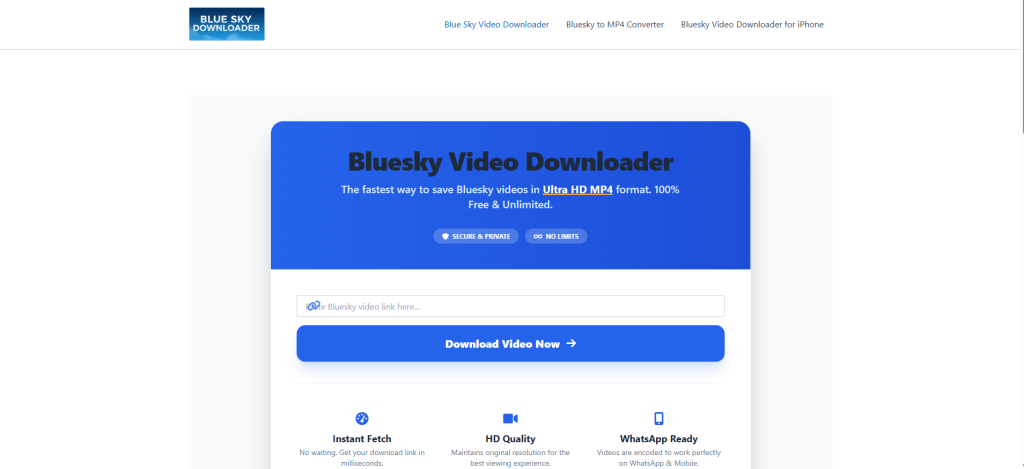
USA-based iPhone users often struggle with the “walled garden” of iOS. Here is the easiest way to save media:
- Open the Bluesky app and tap the “Share” icon on any post.
- Select “Copy Link.”
- Navigate to BlueskyDownloader.io in Safari.
- Paste the link and hit “Process Video.”
- Tap the download link. Safari will prompt you to save the file—select “Download” and find it in your “Files” app or “Downloads” folder.
For Android and Windows Users
On Android or PC, the process is even more straightforward. Once you process the link, you can save the file directly to your gallery or desktop with a single click.
Deep Dive: The Tech Behind the Tool
As experts in digital marketing and web development through Labasha.in, we didn’t want to build just another “scraper”. We wanted to build a professional-grade media utility.
Powered by FFmpeg 5.1.7
Our backend utilizes the latest FFmpeg builds to handle video containers. This allows us to take the segmented .m3u8 files used by Bluesky and merge them into a single, seamless MP4 file without losing quality.
Built on the AT Protocol
Bluesky isn’t just a website; it’s a protocol. Our system is designed to understand the decentralized nature of the AT Protocol, allowing us to fetch media directly from the source even as the platform scales globally.
Privacy: Our “No-Logs” Philosophy
In an era of data breaches and intrusive tracking, we believe your download history is nobody’s business but your own.
- No Registration: You don’t need an account to use our Bluesky Video Downloader.
- No Tracking: We do not store your IP address or your download history.
- Auto-Deletion: All temporary files used for processing are purged from our secure servers every 24 hours.
Frequently Asked Questions (FAQ)
Is it legal to download videos from Bluesky?
Downloading videos for personal, offline use is generally considered “Fair Use.” However, we always recommend respecting the original creator’s rights. Our tool is intended for archiving and personal sharing, not for commercial redistribution.
Why is my video not playing on my phone?
If you’ve used other downloaders, you might encounter “Unsupported Format” errors. This usually happens when the video isn’t encoded correctly. By using BlueskyDownloader.io, you avoid this because our FFmpeg backend ensures every file is encoded for maximum compatibility.
Does this tool work for private accounts?
Currently, our tool can only fetch media from public Bluesky posts. This is a security feature of the AT Protocol to protect the privacy of users who have restricted their content.
Is there a limit to how many videos I can download?
No. Whether you’re archiving 5 videos or 500, our Bluesky Video Downloader is free and unlimited. We want to be the community’s go-to resource for media saving.
Final Thoughts: The Future of Media Sharing
As the digital world moves toward decentralized platforms, tools like BlueskyDownloader.io become vital bridges. We are committed to maintaining the highest standards of speed, quality, and privacy.
Backed by the technical expertise of Suman Saurav Singh and the team at Labasha.in, we are constantly updating our infrastructure—including our Python-based fetching scripts and OpenLiteSpeed server configurations—to ensure we remain the fastest downloader on the web.
Ready to start? Paste your first link above and experience the fastest Bluesky Video Downloader available today.